Running a coaching business shouldn’t feel like you’re drowning in spreadsheets while your actual coaching time shrinks. If you’re spending more hours managing client data than helping clients transform their lives, AI CRM automation can change that.
AI-powered customer relationship management systems handle the repetitive tasks that eat up your day, from scheduling follow-ups to tracking client progress. These smart systems learn from your client interactions, send personalized messages at the right time, and flag when someone needs extra attention. For entrepreneur coaches juggling multiple roles, this technology isn’t a luxury anymore—it’s how you scale without sacrificing the personal touch that makes coaching work.
This guide shows you exactly how to implement AI CRM automation in your coaching practice, which tools actually deliver results, and how to set up workflows that boost client retention while giving you back the time to focus on what matters: coaching.
Why Traditional CRM Systems Fail Coaching Businesses
Most CRM systems were built for sales teams, not solo entrepreneur coaches. They assume you have an assistant to input data, a marketing team to manage campaigns, and endless hours to configure complex workflows.
Manual client tracking creates bottlenecks that slow everything down. You finish a powerful coaching session, then spend 15 minutes logging notes, updating spreadsheets, and setting reminders for follow-up. Multiply that across 10 or 20 clients, and you’ve lost hours that could have gone toward revenue-generating activities or actual rest.
The hidden time cost of managing multiple disconnected tools adds up fast. Your scheduling app doesn’t talk to your email platform. Your payment processor operates separately from your client database. You’re copying and pasting information between five different systems, and something always falls through the cracks. A client doesn’t get their welcome email. You forget to check in before a big milestone. These small failures damage trust and hurt retention.
Entrepreneurs with ADHD face even bigger challenges with traditional CRM maintenance. Systems that require consistent manual data entry simply don’t work when your brain operates differently. You might have brilliant coaching insights, but remembering to log them in the right place at the right time? That’s a setup for failure. The cognitive load of maintaining these systems can be overwhelming, leading many talented coaches to abandon organization altogether or burn out trying to keep up.
If you’re already feeling stretched thin managing your business, integrating AI tools to save 10 hours a week might be exactly what you need to break free from administrative overwhelm.
What Is AI CRM Automation and How Does It Work for Coaches
AI CRM automation is a system that uses machine learning to manage client relationships with minimal manual input. Instead of you remembering to follow up, the system knows when to reach out based on patterns it learns from your coaching practice.
Here’s how machine learning personalizes client communication: The AI analyzes how each client engages with your messages, when they’re most responsive, and what type of content resonates with them. Over time, it adapts the timing and tone of automated messages to match what works best for that specific person. This means your sobriety coaching client who checks email at 6 AM gets their check-in then, while your digital nomad client in Thailand receives theirs at a different time that matches their schedule.
Automated follow-up sequences and smart scheduling work in the background while you sleep. After a coaching session, the system automatically sends a summary with action items. Three days later, it checks in on progress. A week before your next session, it sends a preparation prompt. No manual work required, yet your clients feel consistently supported.
AI analyzing client behavior patterns and engagement gives you insights you’d miss otherwise. The system notices when a typically responsive client stops opening emails or skips accountability check-ins. It flags clients who might be at risk of canceling before you lose them. It identifies which resources get the most engagement so you can create more of what actually helps.
These systems don’t replace the human connection that makes coaching powerful. They handle the predictable, repeatable tasks so you can show up fully present when it matters most.
The Biggest Benefits of AI CRM Automation for Entrepreneur Coaches
Reclaim 10+ Hours Weekly from Administrative Tasks
Data entry alone can consume 5-7 hours per week for a coach with 15-20 active clients. AI CRM automation eliminates most of this work by capturing information automatically from emails, session notes, and client interactions.
Scheduling and rescheduling eats another 2-3 hours weekly when done manually. Smart scheduling systems let clients book available times without the back-and-forth, automatically adjust for time zones, and send reminders that reduce no-shows by up to 60%.
Client updates and progress tracking take time when you’re manually reviewing notes and remembering where each person stands. Automated systems compile this information instantly, showing you exactly what happened in your last three sessions and what goals you set together. You walk into every call prepared, without spending an hour reviewing files.
When automation handles these repetitive tasks, you focus on high-value coaching activities: designing better programs, creating content that attracts ideal clients, or simply taking time off without your business falling apart. Many coaches find they can take on 30-40% more clients without working more hours, or maintain the same client load while working significantly less. If you’re looking to scale strategically, AI workflow automation offers a proven path forward.
Never Miss a Client Check-In Again
Consistent communication builds the trust that keeps clients engaged long-term. Automated reminder systems make this consistency effortless, especially for accountability coaching where regular touchpoints determine success.
The system tracks each client’s unique schedule and sends check-ins at the intervals you’ve defined. Your executive coaching clients might need weekly accountability prompts, while your sobriety coaching clients benefit from daily encouragement. You set the parameters once, and the automation runs indefinitely.
Smart triggers based on client milestones and engagement patterns take this further. When a client completes a 30-day streak, the system automatically sends congratulations and asks them to reflect on their progress. When someone goes three days without responding to messages, it sends a gentle nudge or alerts you to reach out personally.
Consistent touchpoints improve retention rates dramatically. Research shows that clients who receive regular automated check-ins between sessions are 40-50% more likely to complete their coaching program and renew for additional sessions. They feel supported even when you’re not in a live session together, which strengthens the relationship and delivers better outcomes.
Personalized Client Experiences at Scale
AI-generated personalized messages that feel human solve one of the biggest scaling challenges: maintaining individual attention as you grow. The system pulls from your writing samples to match your voice, references specific goals each client shared, and adapts content based on where they are in their journey.
Segmentation strategies for different coaching programs let you treat your business coaching clients differently from your ADHD coaching clients without manual effort. Each group receives content tailored to their specific challenges, resources that match their interests, and communication timing that fits their needs. You’re not sending the same generic message to everyone.
Tailoring communication based on client journey stage means new clients get onboarding content, active clients receive encouragement and accountability, and alumni get re-engagement offers or advanced resources. The system knows where each person stands and adjusts automatically as they progress. A client who just signed up doesn’t get the same message as someone finishing their sixth month with you.
This level of personalization used to require a full team. Now it’s possible for a solo coach using the right AI CRM system.
Data-Driven Insights for Better Coaching Outcomes
Tracking client progress metrics automatically gives you a clear picture of what’s working in your coaching methodology. The system captures completion rates for action items, engagement with resources, and progress toward stated goals without you manually creating reports.
Identifying at-risk clients before they cancel is one of the most valuable features. The AI notices patterns: decreased email opens, missed sessions, incomplete homework, or reduced engagement in your community. It flags these clients so you can intervene with a personal check-in, adjust the coaching approach, or offer additional support before they decide to leave.
Using engagement data to refine your coaching methodology helps you improve constantly. You might notice that clients who complete a specific exercise have 80% better outcomes, or that sending resources on Thursday gets three times more engagement than Monday. These insights let you optimize your entire coaching process based on what actually works, not what you assume works.
The data also helps with business decisions. You can see which lead sources produce the best long-term clients, which coaching packages have the highest completion rates, and where people typically drop off in your funnel. This information guides smart growth strategies instead of guessing.
Best AI CRM Tools for Coaching Businesses in 2026
All-in-One Platforms for Solopreneurs
Comprehensive solutions combine client management, scheduling, payments, and automation in one place. This eliminates the integration headaches that come from connecting multiple tools and reduces your monthly software costs.
Pricing for bootstrapped coaches typically ranges from $50-200 per month for all-in-one platforms with AI features. The investment pays for itself quickly when you calculate the time saved and increased client capacity. Look for platforms that offer tiered pricing so you can start small and scale up as your practice grows.
Integration capabilities with existing tools matter if you’ve already invested in specific software. The best platforms connect with popular email marketing tools, payment processors, video conferencing systems, and course platforms. Check whether the CRM offers native integrations or requires connection through tools like Zapier.
Popular options include coaching-specific platforms that bundle everything together, though the exact features and pricing shift rapidly as AI capabilities improve throughout 2026. Test a few options with their free trials before committing.
Specialized Coaching CRM Solutions
Features designed specifically for life coaches and business mentors include session tracking, goal monitoring, and progress visualization tools that generic CRMs lack. These systems understand the coaching relationship and structure workflows around session cycles rather than sales pipelines.
Client portal functionality and progress tracking give your clients a professional experience. They can log in to see their goals, track completed action items, review session notes, and access resources you’ve shared. This self-service access reduces the questions you field and keeps clients engaged between sessions.
Session management and billing automation handle the administrative side of coaching. The system tracks how many sessions each client has used, automatically generates invoices based on your packages, processes payments, and sends receipts. You’re not manually calculating who owes what or chasing down payments.
These specialized solutions typically cost more than general CRMs but save time by including exactly what coaches need without requiring extensive customization.
Budget-Friendly Options for New Coaches
Free and low-cost AI CRM alternatives exist for coaches just starting out. Some platforms offer free tiers for up to 10-15 clients, which works well while you’re building your practice. Others provide basic automation features at $20-40 per month.
DIY automation using Zapier or Make with existing tools lets you create custom workflows without expensive software. You might connect your Google Calendar with Gmail and a simple spreadsheet to automate client communication. This approach requires more setup time but keeps costs low and teaches you automation principles that serve you long-term. If you’re interested in learning these skills, free AI automation courses can get you started.
When to upgrade as your coaching practice grows depends on pain points. If you’re spending more than 5 hours weekly on client management, losing clients due to missed follow-ups, or turning away potential clients because you’re at capacity, it’s time to invest in better automation. The right CRM should pay for itself by allowing you to serve more clients or work fewer hours.
How to Set Up Your First AI CRM Automation Workflow
Step 1: Map Your Client Journey
Identifying key touchpoints from inquiry to alumni status gives you a complete picture of your coaching relationship. Start by listing every interaction: initial inquiry, discovery call, onboarding, first session, regular sessions, check-ins between sessions, completion, and post-program follow-up.
Creating a visual flowchart of your coaching process helps you see the entire journey at once. Draw boxes for each stage and arrows showing how clients move through your program. Note the typical timeline for each phase. This visual makes it obvious where automation can help and where personal touch matters most.
Pinpointing automation opportunities at each stage focuses your efforts on high-impact workflows. Look for repetitive tasks that happen the same way every time: sending welcome emails, scheduling sessions, collecting intake forms, requesting testimonials, and re-engaging past clients. These consistent actions are perfect for automation. Keep complex decision-making and sensitive conversations in your personal wheelhouse.
Step 2: Choose Your Automation Priorities
Starting with high-impact, low-effort automations builds momentum and shows results quickly. Automated welcome emails and session reminders take 15 minutes to set up but save hours every week while reducing no-shows. Begin there instead of trying to automate your entire practice on day one.
Focusing on retention before acquisition makes financial sense. Keeping an existing client costs 5-7 times less than acquiring a new one. Automated check-ins, progress celebrations, and re-engagement sequences directly impact how long clients stay with you. Get those working smoothly before building elaborate lead nurture sequences.
Balancing automation with authentic human connection prevents your coaching from feeling robotic. Use automation for predictable tasks and timely reminders, but show up personally for vulnerable moments, celebrations, and when clients struggle. Your clients should feel more supported by automation, not replaced by it. The technology works best when it creates space for deeper human connection, not when it replaces it entirely.
Step 3: Build Your Welcome Sequence
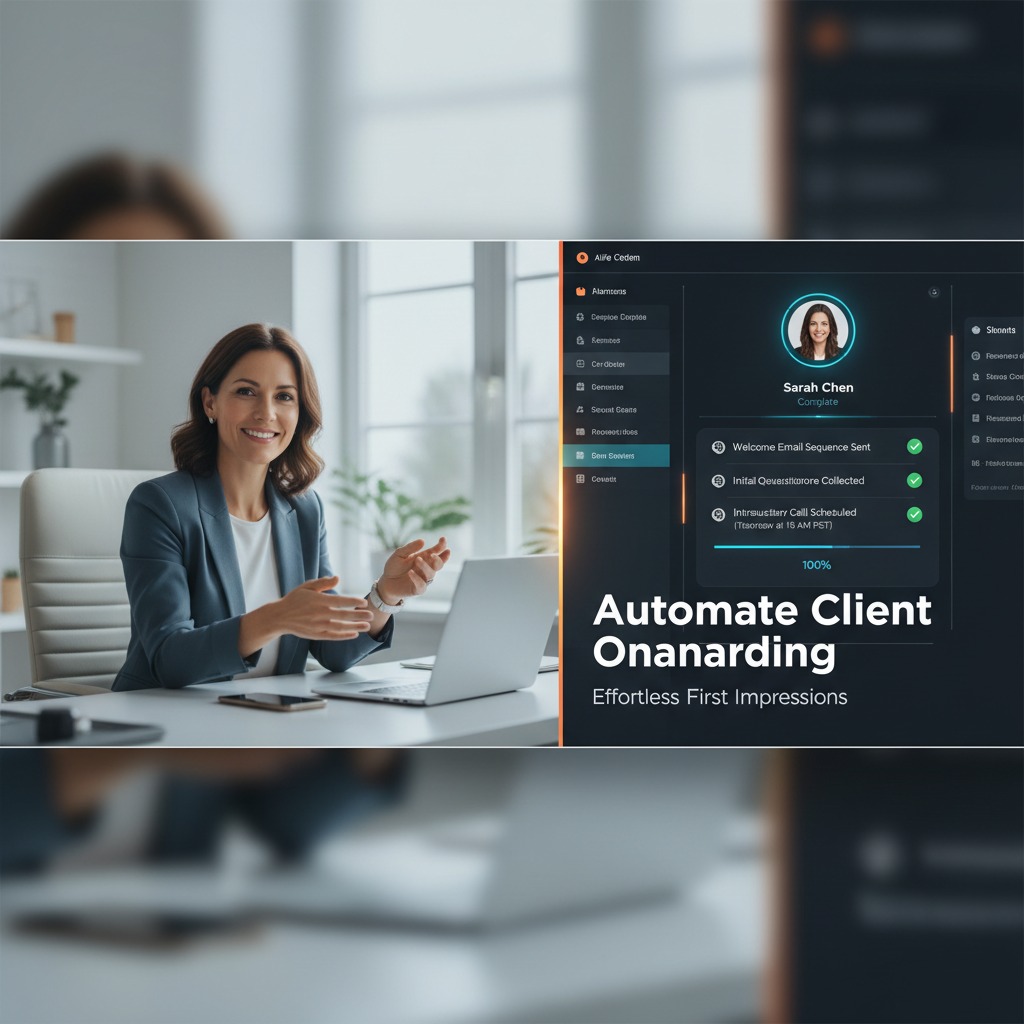
Crafting automated onboarding emails that set expectations starts your coaching relationship strong. Your first email should arrive within minutes of signup, confirming their decision and sharing what happens next. Subsequent emails over the next few days can introduce your coaching philosophy, explain how sessions work, and build excitement for the transformation ahead.
Scheduling pre-session preparation reminders helps clients show up ready to work. Send an email 48 hours before each session asking them to reflect on specific questions or complete pre-work. This preparation makes your actual coaching time more productive and demonstrates that you expect active participation, not passive consumption.
Collecting baseline data for progress tracking gives you measurable starting points. Include a simple assessment or goal-setting exercise in your welcome sequence. Ask clients to rate their current situation in key areas, describe their biggest challenges, and define what success looks like. This information guides your coaching and provides before-and-after data that proves your impact.
Step 4: Create Accountability Check-In Systems
Setting up weekly or bi-weekly automated touchpoints maintains momentum between sessions. These check-ins can be simple: “How did you do with the action items from our last session?” or “What’s one win you’ve had this week?” The consistency matters more than the length.
Using AI to personalize messages based on client goals makes generic check-ins feel specific. The system can reference the exact goal each client set, mention challenges they’ve shared, or celebrate milestones they’re approaching. This personalization takes seconds for the AI but makes clients feel truly seen.
Triggering interventions when clients go silent protects your retention rates. If someone doesn’t respond to two check-ins, the system can escalate to a different type of message or alert you to reach out personally. Early intervention often prevents cancellations. For coaches focused on accountability, understanding why accountability coaching works helps you design more effective check-in systems.
Step 5: Automate Post-Session Follow-Up
Sending session summaries and action items automatically reinforces what you covered together. Set up a template that includes key insights from the session, specific action items with deadlines, and resources mentioned during your conversation. Send this within an hour after each session while the conversation is fresh. Your clients appreciate the clarity, and you’re not scrambling to remember details days later.
Collecting feedback to improve coaching delivery gives you continuous improvement data. Include a simple one-question survey in your follow-up: “What was most valuable about today’s session?” or “How can I better support you going forward?” This feedback helps you refine your approach and shows clients you care about their experience.
Sharing relevant resources based on session topics adds value without extra work. When you discuss time management, the system automatically includes your best time management article. When a client mentions relationship challenges, they get your recommended reading on that topic. You build this resource library once, and the AI delivers the right piece to the right person at the right time.
Step 6: Design Your Re-Engagement Campaign
Identifying inactive clients with AI-powered segmentation catches people before they’re completely gone. The system flags clients who completed their initial package but haven’t renewed, past clients who haven’t engaged in 3-6 months, or leads who showed interest but never started. Each group needs a different approach.
Creating personalized win-back sequences addresses why someone might have left. Acknowledge the gap without being pushy: “I noticed it’s been a few months since we worked together. How have things been going with [specific goal they had]?” Share a relevant resource or insight that demonstrates you’re still thinking about their success. Make it easy to restart the conversation without commitment.
Offering value before asking for renewal rebuilds the relationship. Send a helpful article, invite them to a free workshop, or share a quick win they can implement today. After providing value, extend an invitation to work together again. Many coaches find that 15-20% of inactive clients re-engage when approached thoughtfully, representing significant revenue from people who already know and trust you.
AI CRM Automation Strategies for Different Coaching Niches
Sobriety and Addiction Recovery Coaching
Daily check-in automations for accountability provide the consistent support that sobriety coaching requires. Automated morning messages ask clients to confirm they’re committed to staying sober today, evening check-ins celebrate the day’s success, and the system tracks streaks to build momentum. This frequency would be impossible to maintain manually but is straightforward with automation.
Crisis detection through engagement pattern changes can literally save lives. When a client who typically responds within hours goes silent for a day, or someone suddenly stops completing their check-ins, the system alerts you immediately. You can reach out personally before a potential relapse becomes a full crisis.
Milestone celebration sequences reinforce progress and build identity around sobriety. Automatic messages recognize 7 days, 30 days, 90 days, 6 months, and yearly sobriety anniversaries. Include reflection prompts that help clients see how far they’ve come and recommit to continued growth. These celebrations matter deeply in recovery work. Understanding how to build strong support networks complements your automated systems with community connection.
Simplified workflows that don’t overwhelm neurodivergent coaches are essential if you’re running this business with ADHD yourself. Choose systems with visual interfaces, minimal required fields, and one-click actions. Complexity kills execution when your brain works differently, so ruthlessly simplify everything.
Visual task reminders and progress tracking work better than text-heavy systems for ADHD clients. Use systems that support visual progress bars, color-coded statuses, and image-based reminders. Send check-ins with pictures or emojis that catch attention. Traditional text-only CRMs often fail to engage neurodivergent clients effectively.
Flexible scheduling systems that adapt to energy levels accommodate the reality of ADHD. Allow clients to reschedule easily when they’re having a low-focus day without penalty. Build in buffer time between sessions so you’re not penalized for running over. Use automated reminders at multiple intervals because single reminders get missed. These accommodations make your coaching more accessible and effective for the people who need it most. For more insights on overcoming ADHD challenges in business, additional strategies can complement your CRM automation.
Digital Nomad and Location-Independent Business Coaching
Time zone aware scheduling automation prevents the headache of manual time conversion. Your CRM automatically adjusts for where you and each client are located, displays available times in their local zone, and sends reminders at appropriate hours. You’re not waking up clients with 3 AM emails or missing sessions because someone forgot to convert correctly.
Automated content delivery for asynchronous coaching lets you serve clients who don’t want or can’t maintain weekly live calls. The system delivers course modules, sends reflection prompts, collects responses, and provides feedback on a schedule that works across any time difference. This model lets you coach people in completely different hemispheres without anyone losing sleep.
International payment processing and invoicing handles currency conversion, VAT collection where required, and compliance with different countries’ payment regulations automatically. You’re not manually calculating exchange rates or figuring out which taxes apply to which clients. The system handles these details so you can focus on coaching. When you’re managing time zones across continents, automation becomes absolutely necessary for scalable operations.
Exit Strategy and Business Transition Coaching
Multi-phase project tracking over extended timelines keeps complex transitions organized. Exit strategy coaching often spans 12-24 months with multiple phases: valuation, preparation, finding buyers, negotiation, and transition. Your CRM tracks which phase each client is in, what milestones they’ve completed, and what needs to happen next without you maintaining complicated spreadsheets.
Automated milestone reminders for complex transitions keep everyone on track. When a client completes their financial audit, the system automatically reminds them that market analysis comes next. When they’re 30 days from their target exit date, they get a checklist of final preparations. These prompts prevent things from falling through the cracks during high-stakes transitions.
Document collection and organization workflows ensure nothing gets lost. The system automatically requests specific documents at the right time, tracks what’s been submitted, follows up on missing items, and organizes everything in client-specific folders. You’re not chasing people for paperwork or searching through email attachments to find critical documents. For coaches helping clients navigate transitions, building an AI-powered exit strategy shows how technology supports every stage of the process.
Common Mistakes Coaches Make with AI CRM Automation
Over-Automating and Losing the Human Touch
Finding the balance between efficiency and authenticity is the biggest challenge with automation. Your clients hired you for your human insight, empathy, and ability to see what they can’t see. Automation should enhance that relationship, not replace it.
When to step in personally versus letting automation handle it depends on emotional weight and complexity. Automated check-ins work great for accountability and routine progress tracking. Personal outreach matters when someone’s struggling, celebrating a major win, or making a difficult decision. If the situation requires nuance, judgment, or emotional support, show up yourself.
Maintaining your unique coaching voice in automated messages requires thoughtful setup. Write templates in your actual speaking voice, not corporate-speak. Use the phrases you naturally use. Include your personality quirks. The best automated messages sound like something you’d actually say, just delivered by technology when you’re not available.
Setting Up Complex Systems You Won’t Actually Use
Starting simple and building gradually prevents overwhelm and abandonment. Add one automation workflow at a time, use it until it’s second nature, then add another. Coaches who try to implement everything at once usually end up using nothing.
Choosing tools that match your technical comfort level sets you up for success. If you’re not tech-savvy, pick platforms with templates and visual builders rather than ones requiring coding. If you love technical details, you might enjoy the flexibility of more complex systems. Be honest about your skills and interest level.
The danger of shiny object syndrome with AI tools is real. New AI features launch weekly, and each one promises to transform your business. Resist the urge to constantly switch tools or add new systems before mastering what you have. The best tool is the one you actually use consistently, not the one with the most impressive feature list.
Neglecting to Test and Refine Your Automations
Importance of quality checking automated messages can’t be overstated. Send yourself test messages, have friends review them, and make sure personalization fields actually work. Nothing damages trust faster than an automated email that says “Hi {first_name}” because the merge field broke.
A/B testing different approaches helps you find what resonates with your specific audience. Try different subject lines, message lengths, and tones. Send check-ins at various times to see when people respond most. What works for one coach’s audience might flop for another’s, so test instead of assuming.
Regular audits to remove outdated workflows keep your system clean. Every quarter, review active automations and ask whether each one still serves your clients. Update references to old programs, remove sequences for services you no longer offer, and refine messages based on feedback. Your business evolves, and your automation should evolve with it.
Forgetting GDPR and Data Privacy Considerations
Securing client information in your CRM system protects both your clients and your business. Choose platforms with strong encryption, regular security audits, and clear data protection policies. Never store sensitive information in unsecured systems or share client data with unnecessary third parties.
Obtaining proper consent for automated communications is legally required in many jurisdictions and simply good practice everywhere. Let clients know they’ll receive automated check-ins and give them easy opt-out options. Make it clear what communication they’re signing up for when they start working with you.
Compliance requirements for international coaching clients vary by country. GDPR applies to European clients regardless of where you’re located. Other countries have their own data protection laws. If you coach internationally, understand the basics or consult with someone who does. Violations can result in significant fines and destroyed reputation.
How AI CRM Automation Prevents Coaching Business Burnout
Reducing decision fatigue through systematic client management gives your brain a break. When your CRM handles routine decisions about when to follow up, what resources to send, and which clients need attention, you’re not making hundreds of small choices every day. That preserved mental energy goes toward creative coaching work or personal recovery.
Creating breathing room for creative coaching work happens when automation removes low-value tasks. Instead of spending evenings updating client spreadsheets, you’re designing new offerings, creating content, or developing your methodology. The business builds momentum even when you’re not actively working on it because systems run in the background.
Maintaining consistency even during low motivation periods protects your business and your clients. Everyone has weeks where energy is low or life gets complicated. With automation handling core client communication, you don’t have to choose between completely dropping the ball or pushing through exhaustion. Your clients still get check-ins, your business still runs, and you can take the space you need without guilt. If you’re managing multiple projects, understanding strategies for overcoming burnout across multiple brands provides additional perspective on sustainable growth.
Measuring the ROI of Your AI CRM Automation
Calculating hours reclaimed from administrative work shows the clearest immediate benefit. Track how long client management tasks took before automation, then measure again after your systems are running. Most coaches find they save 8-15 hours weekly once automation is fully implemented.
Translating time savings into revenue potential makes the value concrete. If you charge $200 per coaching session and you’ve freed up 10 hours weekly, that’s potentially $2,000 in additional weekly revenue if you fill that time with clients. Even if you choose not to take on more clients, that’s 10 hours back for business development, content creation, or personal life.
Tracking efficiency improvements over time demonstrates continued value. Monitor metrics like average time to onboard a new client, days between sessions and follow-up completion, or hours spent on client management monthly. You should see these numbers steadily improve as you optimize your automations.
Client Retention Rate Improvements
Comparing retention before and after automation reveals the impact on your bottom line. Calculate what percentage of clients completed their initial package before automation versus after. Track renewal rates for subsequent coaching periods. Many coaches see 15-25% improvement in retention within the first six months of implementing automated check-in systems.
Calculating lifetime client value increases shows long-term financial impact. If better retention means the average client stays for 8 months instead of 6 months, and your monthly program costs $500, that’s an extra $1,000 per client. Multiply that across your entire client base to see the yearly revenue impact.
Identifying which automations drive the biggest impact helps you double down on what works. You might find that post-session follow-ups have minimal impact on retention, but weekly accountability check-ins dramatically reduce cancellations. Use this data to prioritize your automation efforts.
Revenue Growth from Increased Capacity
Taking on more clients without sacrificing quality becomes possible when automation handles the administrative load. Before automation, you might have maxed out at 15 one-on-one clients. With systematic client management, you might comfortably handle 20-25 clients at the same quality level. That additional capacity translates directly to revenue growth.
Launching group programs supported by automation opens new revenue streams. AI CRM systems can personalize communication even in group settings, track individual progress within cohorts, and handle the increased complexity of multiple clients moving through the same program at once. Group programs often generate more revenue per hour of coaching time than one-on-one work.
Scaling beyond one-on-one sessions strategically requires systems that work without your constant attention. Automation makes it possible to offer hybrid models with live sessions plus automated content delivery, or entirely asynchronous programs. You’re not limited by the hours in your day because your systems work around the clock.
Integrating Your AI CRM with Other Business Tools
Connecting scheduling platforms like Calendly or Acuity creates seamless booking experiences. When someone schedules a session, the information automatically flows into your CRM, triggering welcome sequences or pre-session reminders. You’re not manually copying appointment details or risking that someone books a time without getting properly onboarded.
Syncing with payment processors for automated invoicing eliminates billing headaches. When a client signs up for your program, the system creates their invoice, processes payment, sends receipts, and updates their client record with payment status. Recurring payments for ongoing coaching programs happen automatically with payment reminders only if a card fails.
Linking email marketing platforms for seamless campaigns lets you segment your coaching clients separately from your general email list. Past clients can receive re-engagement campaigns while active clients get a different message stream. Lead nurture sequences move people toward discovery calls without manual list management.
Integration with project management tools for client deliverables keeps any additional client work organized. If you provide resources, templates, or review materials as part of coaching, these systems track what’s been delivered and what’s pending. For coaches exploring advanced integrations, leveraging APIs like Claude can unlock powerful custom automation possibilities.
Advanced AI CRM Features for Scaling Coaches
Predictive Analytics for Churn Prevention
Using AI to identify clients likely to cancel gives you advance warning before you lose revenue. Machine learning algorithms analyze patterns across hundreds of data points: email open rates, session attendance, time between responses, completion of action items, and engagement with resources. When multiple indicators suggest someone’s pulling away, the system flags them.
Proactive intervention strategies based on data signals can save the relationship. You might reach out personally to check in, adjust your coaching approach, offer additional support, or simply acknowledge that things seem different. Often clients appreciate knowing you noticed and care enough to adjust.
Improving retention through early warning systems turns data into action. Instead of being surprised when someone cancels, you have opportunities to course-correct. Not every client will stay regardless of intervention, but catching problems early improves your odds significantly. A 5-10% improvement in retention typically pays for your entire CRM investment.
AI-Powered Client Matching and Intake
Qualifying leads automatically before discovery calls saves you from wasting time on poor-fit prospects. AI-powered intake forms ask smart follow-up questions based on initial responses, flag red flags, and score leads based on fit. You review a summary instead of reading through long form submissions, making quick decisions about who to talk to.
Matching clients to the right coaching packages reduces buyer’s remorse and improves outcomes. Based on their goals, budget, availability, and preferences described in intake, the system recommends which of your offerings best fits their needs. This guidance helps people make confident decisions and sets realistic expectations.
Reducing time wasted on poor-fit prospects protects your energy for people you can actually help. When someone’s challenges are outside your expertise, needs a different service entirely, or isn’t ready for coaching, it’s better to know before spending an hour on a discovery call. AI intake processes surface these mismatches early.
Automated Content Personalization
Delivering customized resources based on client needs makes your coaching feel more attentive. When you discuss goal-setting in a session, the system sends your goal-setting worksheet. When someone mentions struggling with focus, they get your focus management guide. You build the content library once, and AI delivers the right piece to each person.
Dynamic email content that adapts to individual progress keeps communication relevant. Instead of sending the same weekly email to all clients, the system generates versions that reference where each person is in their journey, acknowledge recent wins, or address current challenges. This personalization dramatically improves engagement rates.
AI-generated session prep materials tailored to each client save you preparation time while improving session quality. The system reviews notes from previous sessions, client goals, and recent check-in responses to generate suggested discussion topics and questions for your upcoming call. You’re not starting from scratch for every session.
Building Your AI CRM Automation Roadmap for 2026
Setting realistic implementation timelines prevents overwhelm and ensures you actually complete the setup. Plan for 2-3 months to fully implement core automations if you’re building them yourself. Allow 4-6 weeks if you’re learning a new platform while setting up workflows. Don’t expect everything working perfectly in two weeks.
Prioritizing quick wins versus long-term infrastructure balances immediate benefits with strategic development. Start with high-impact automations like session reminders and basic follow-ups that deliver value immediately. Build more sophisticated workflows like predictive analytics and advanced segmentation once your foundation is solid.
Planning for tool migration and system upgrades acknowledges that your needs will change. Choose platforms that can grow with you or plan transition points when you’ll outgrow current tools. Budget time and money for occasional system changes as your business evolves. The coaching business you have today isn’t the one you’ll have in two years.
Creating SOPs for your automated processes ensures consistency and makes delegation possible. Document how your automations work, what triggers different sequences, and how to update content. When you eventually hire help, these procedures let someone else manage your systems without breaking things. For insights on where coaching automation is headed, explore ideas about the future of life coaching with AI.
Real Stories: Coaches Who Scaled with AI CRM Automation
A sobriety coach working with addiction recovery clients doubled capacity from 12 to 24 active clients after implementing daily automated check-ins. The system sent morning commitment prompts and evening reflection questions that kept clients accountable between weekly sessions. Crisis detection features alerted her when someone went silent, allowing intervention before relapse. Her retention rate improved from 65% to 87% in six months, representing an additional $48,000 in annual revenue.
An ADHD coach reduced admin time by 70% using visual automation tools designed for neurodivergent workflows. Before automation, she spent 12 hours weekly on client management, scheduling, and follow-up—tasks that drained her energy and triggered overwhelm. After implementing smart systems, that dropped to 3-4 hours. She used the reclaimed time to develop a group program that now generates more revenue than her one-on-one practice, all while working fewer total hours.
A digital nomad business coach managing 50+ international clients across eight time zones credits AI CRM automation for making his lifestyle sustainable. Automated scheduling handles time zone conversion, asynchronous content delivery lets him coach without constant live availability, and smart check-ins maintain relationships despite geographic distance. His practice generates consistent revenue whether he’s surfing in Bali or skiing in Japan, because systems run independently of his location.
Lessons learned from coaches who implemented AI CRM successfully include starting with one simple automation rather than trying to build everything at once, accepting that initial setup takes longer than expected, regularly reviewing and refining automations based on client feedback, and maintaining personal touchpoints for high-stakes moments despite automation handling routine communication.
What is the best AI CRM for solo entrepreneur coaches?
The best AI CRM depends on your specific coaching niche, technical comfort level, and budget. All-in-one platforms work well for coaches who want everything in one place without managing multiple integrations. Specialized coaching CRMs offer features designed specifically for session-based work, progress tracking, and client portals. For new coaches on tight budgets, DIY automation using Zapier or Make combined with free tools can work until revenue justifies investing in dedicated platforms. Test free trials of 2-3 options to see which interface feels most natural for your workflow before committing.
How much does AI CRM automation cost for a small coaching business?
AI CRM automation for coaching businesses typically costs $50-200 per month for comprehensive platforms with smart features. Budget-friendly options start around $20-40 monthly for basic automation, while enterprise solutions can exceed $300 monthly. DIY automation using Zapier or Make adds $20-50 per month depending on complexity. Calculate ROI by considering time saved and increased client capacity rather than just the monthly fee. Most coaches find the investment pays for itself within 2-3 months through increased efficiency or additional client capacity.
Can AI CRM automation work for coaches who aren’t tech-savvy?
AI CRM automation absolutely works for non-technical coaches when you choose the right tools and start simple. Many modern platforms offer visual workflow builders, templates for common coaching scenarios, and setup wizards that guide you through basic automation. Start with pre-built automation templates rather than building from scratch. Focus on one simple workflow like automated welcome emails or session reminders before attempting complex sequences. Many coaches who initially felt intimidated by automation now run sophisticated systems after starting with basics and building gradually.
Will my clients know they’re receiving automated messages?
Clients will only know messages are automated if you make them obvious through poor personalization or robotic language. Well-designed automated messages using natural language, personal details, and your authentic voice feel like you wrote them individually. Many coaches choose to be transparent about using systems to stay consistent, framing it as a way to ensure nobody gets forgotten. The key is making sure automated messages add value and feel relevant. If a client couldn’t tell whether you or your system sent a helpful check-in, you’ve done it right.
How long does it take to set up AI CRM automation for a coaching practice?
Initial setup of basic AI CRM automation takes 10-20 hours spread across 2-4 weeks for most coaches. This includes learning the platform, building your first 3-4 workflows, testing everything, and refining based on results. More sophisticated automations with advanced personalization and multiple client segments might take 30-40 hours over 2-3 months. Don’t expect everything perfect immediately. Build core automations first, use them for a few weeks, then add layers of sophistication. The ongoing maintenance after initial setup is typically just 1-2 hours monthly.
What’s the difference between regular CRM and AI-powered CRM?
Regular CRMs store client information and let you manually create workflows and automations based on rules you define. AI-powered CRMs use machine learning to analyze patterns, personalize communication based on client behavior, predict outcomes like churn risk, and adapt messaging automatically. Traditional CRMs do exactly what you tell them. AI CRMs learn from data and make smart suggestions or adjustments. For coaching, AI features like optimal send time detection, personalized content recommendations, and early warning systems for at-risk clients provide significant advantages over basic automation.
Can AI CRM automation help with client retention specifically?
AI CRM automation significantly improves client retention through consistent communication, early problem detection, and personalized engagement. Automated check-ins between sessions keep clients accountable and connected. Systems that flag declining engagement let you intervene before someone cancels. Personalized milestone celebrations reinforce progress and build commitment. Coaches typically see 15-25% improvement in retention rates after implementing systematic automated touchpoints. The key is using automation to maintain consistent connection points that would be difficult to manage manually across multiple clients.
Should I automate all client communication or just some of it?
Automate routine, predictable communication while keeping complex and emotionally significant interactions personal. Good candidates for automation include session reminders, welcome sequences, check-in prompts, resource delivery, and post-session summaries. Keep personal vulnerable conversations about struggles, major breakthroughs, difficult decisions, and relationship repair. A good rule of thumb is to automate anything you’d send to every client in similar situations, and handle personally anything requiring judgment, empathy, or nuanced understanding. The goal is using automation to create more space for meaningful personal interaction.
How do I maintain authenticity while using AI automation in my coaching business?
Maintain authenticity by writing automated messages in your natural voice, personalizing with specific client details, being transparent about using systems when appropriate, and always showing up personally for important moments. Review automated messages as if you’re sending them individually. Would you actually say this to a client? Does it sound like you? Include your personality quirks, humor, and conversational style. Use automation to be more consistent with your values, not to fake a presence you’re not providing. Authentic automation enhances your coaching relationship rather than replacing it.
What metrics should I track to measure AI CRM success?
Track time saved on administrative tasks weekly, client retention rates compared to pre-automation baseline, response rates to automated messages, client capacity increase without quality decline, revenue growth from additional capacity or reduced churn, and client satisfaction scores. Also monitor system-specific metrics like automation completion rates, email open and click rates for automated sequences, and percentage of clients flagged by early warning systems who you successfully retain. Review these metrics monthly for the first six months, then quarterly once systems are stable.
AI CRM automation transforms how entrepreneur coaches run their businesses, turning administrative chaos into systematic client care. The technology handles repetitive tasks that drain your time and energy, while you focus on the high-value coaching work that actually transforms lives.
Start with one simple automation this week. Set up automated session reminders or a basic welcome sequence. Experience how it feels to have technology working for you instead of fighting against disconnected tools and manual processes. Build from there, adding workflows gradually as each one proves its value.
The coaching business you want to run doesn’t require 60-hour weeks and constant burnout. With smart AI CRM automation handling client management in the background, you can scale your impact while protecting your energy and maintaining the authentic relationships that make coaching powerful. Your clients get better support, you reclaim your time, and your business grows sustainably. That’s the promise of AI CRM automation, and it’s absolutely achievable for any coach willing to embrace these tools.
Leave a Reply